HOWTO Light and Zero Touch Deployments of OS 12
Note: Options for how to deploy IGEL OS in either a light touch or zero touch manner.
OS Creator – Unattended
- Make OSC Unattended ISO Boot
- Great for small remote locations, repeat testing, and virtual machines
- Does not scale
UMS PXE
- How to Deploy IGEL OS 12 with PXE
- More scalable than USB
- Zero touch after device is PXE booted
- Requires internet access
- Medium-high difficulty to setup
- Lots of moving parts. (DHCP, tftp server, web server, UMS json)
UMS PXE via Docker Container on IGEL OS
- How to Deploy IGEL OS 12 with PXE
- More scalable than USB
- Zero touch after device is PXE booted
- Requires internet access
- Simple with automated setup script
IGEL OS 12 Docker ProxyDHCP PXE Server
Microsoft Deployment Toolkit or MDT
- More scalable than USB - requires device to pxe boot
- Can re-use existing WDS/MDT infrastructure
- Fewer moving parts (WDS, MDT, shared folder)
- Low/Medium difficulty to setup
- Not as robust as SCCM/MECM
- Not yet a KB article or supported method
SCCM with NO IGEL Plugin - Option 1
- You control the how and where
- The image file does not need to be in the boot media, you control where you run it from
- You keep your existing boot media, you only add files to it, if you want or need to
- If you use something like 1E Nomad or Adaptiva today, you can use it for deployment going forward
- How many packages you create is your choice
SCCM with NO IGEL Plugin - Option 2
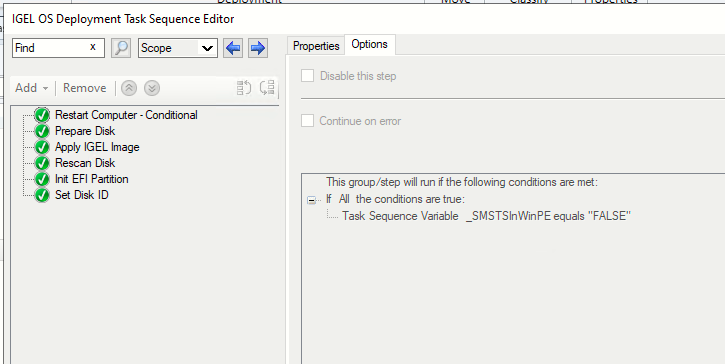
- Download the OS12 Base System Deployment Tool for SCCM
- Extract all the utilities and the OS image from it and put them in a folder on your network
- Inject dd.exe from the folder into your existing boot media - Optional
- Create deployment tool packages
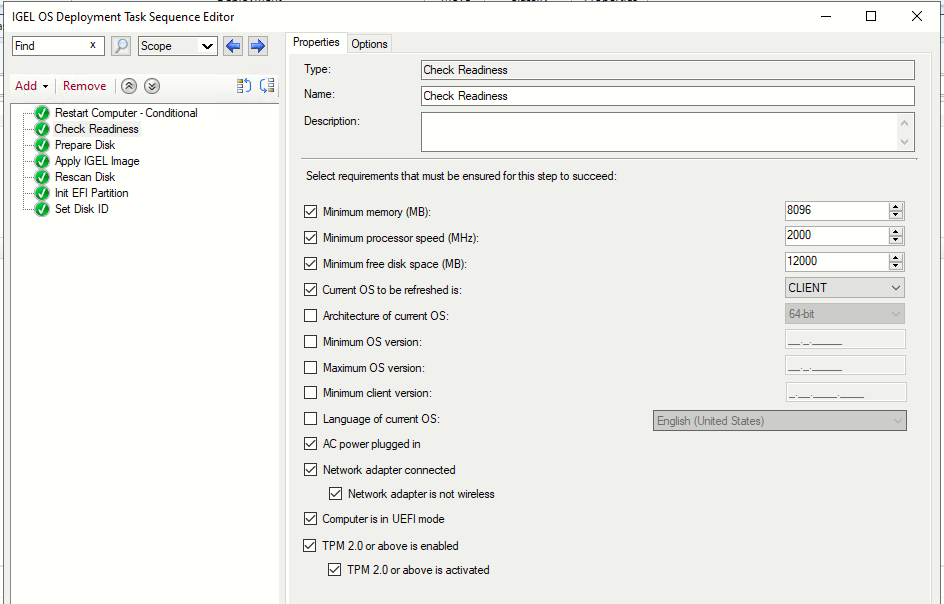
- Create your own task sequences
- Test the task sequences and deploy
- Not officially supported by IGEL but works incredibly well
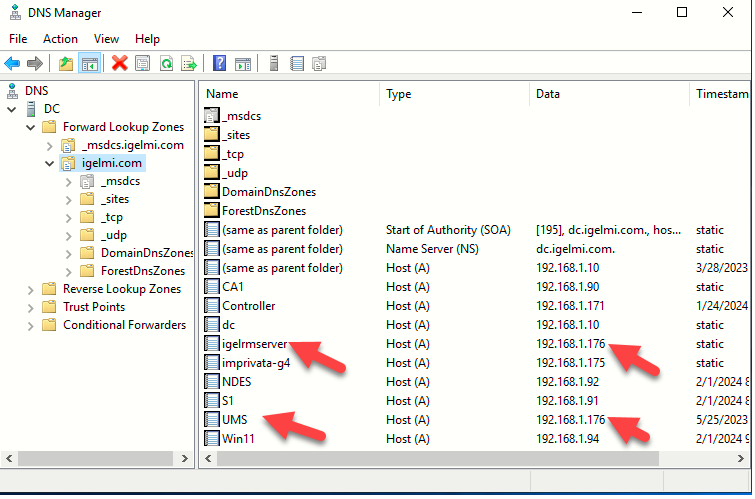
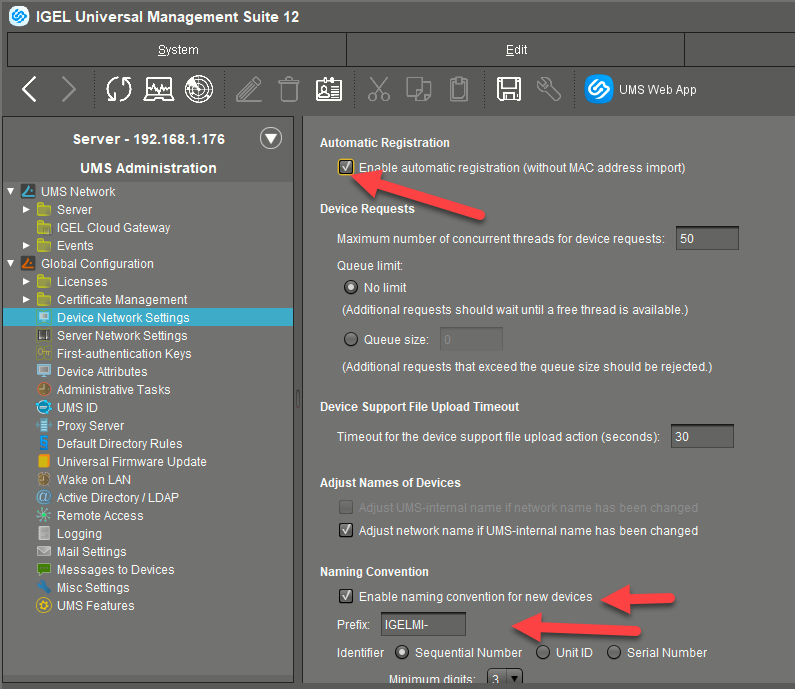
Automatic Device Registration
- So, you deployed the OS, now what?
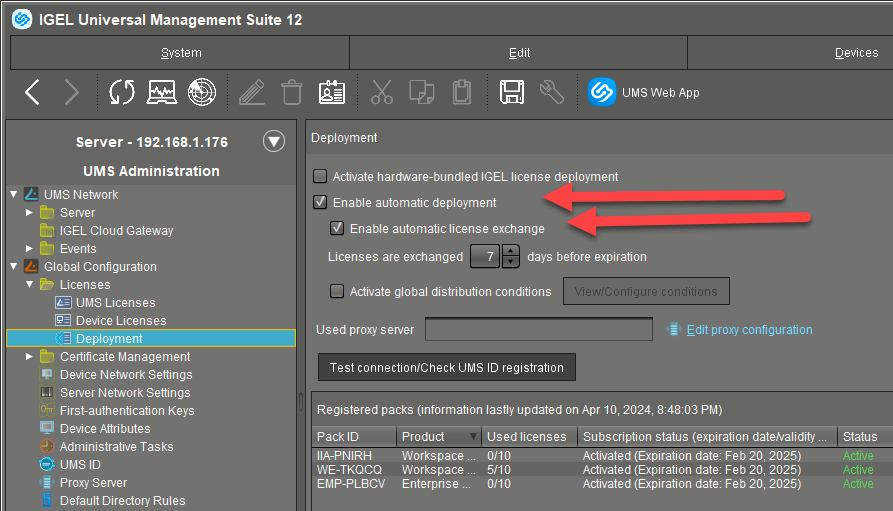
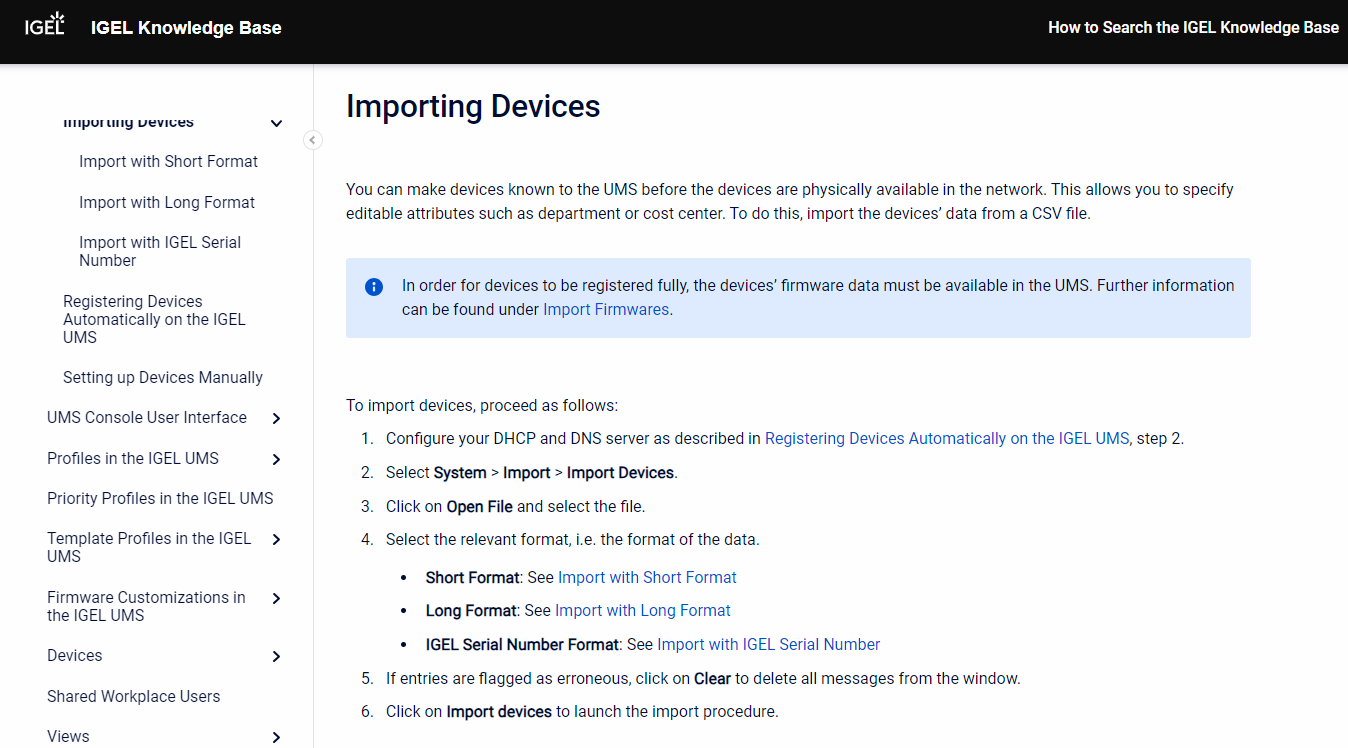
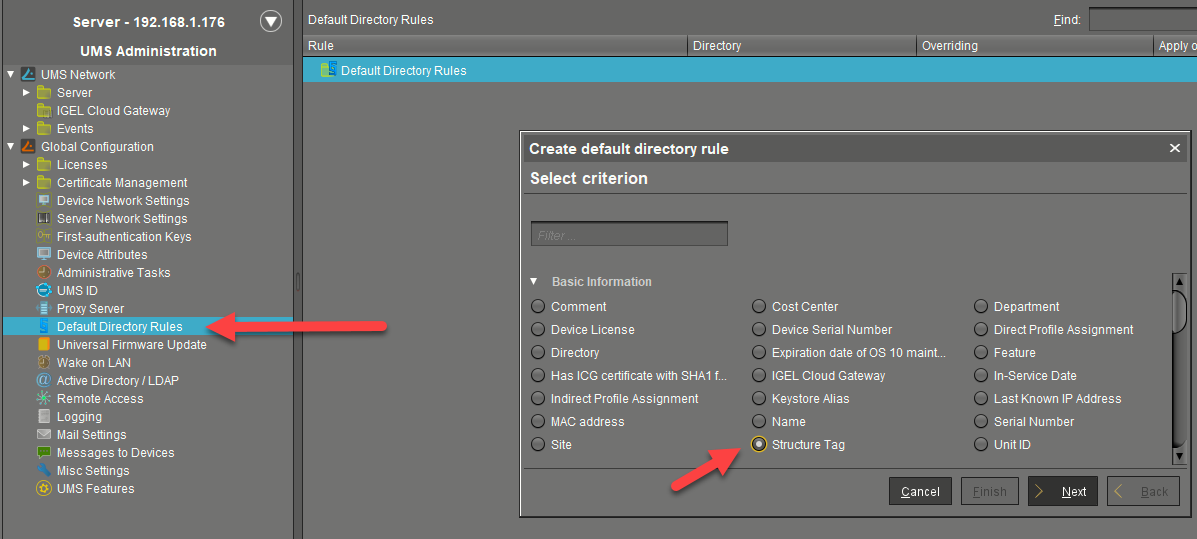
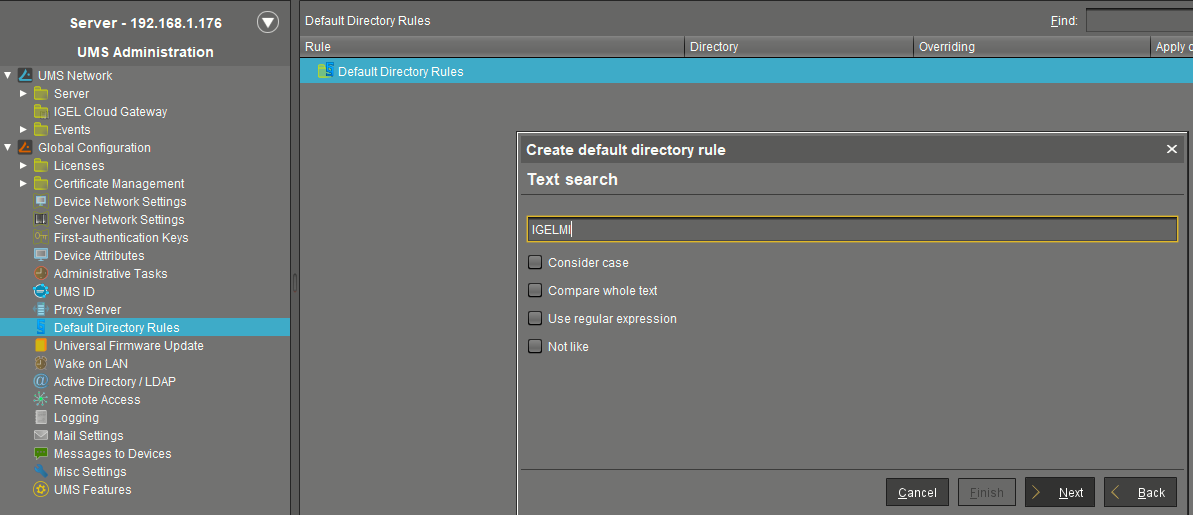
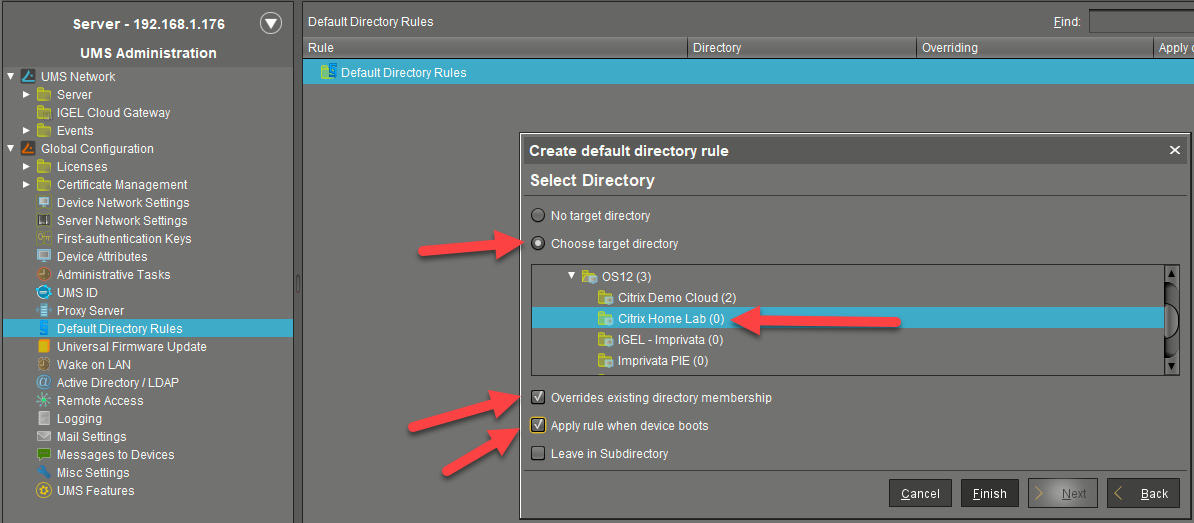
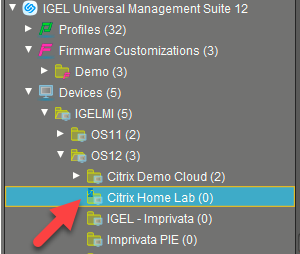
Default Directory Rules
- So, your device is registered and licensed, now what?
IGEL OSCW Enhanced - Under the Hood
OSCW cannot register with UMS through ICG and so you can't do the normal OCSW procedure (register, apply profile, send conversion command).
Here is a method to use the unattended OSC .iso
Summary of steps:
- Install OSCW
- Rename the osc-12.7.5.iso to osc.iso (Make sure this is the unattended version of the ISO you created earlier)
- Copy the osc.iso into the C:\OSC folder
- Rename grub.cfg to grub.cfg.old
- Rename osc.cfg to grub.cfg
- Restart the device
The device will boot using the GRUB boot loader which will trigger the IGEL installation from the ISO.